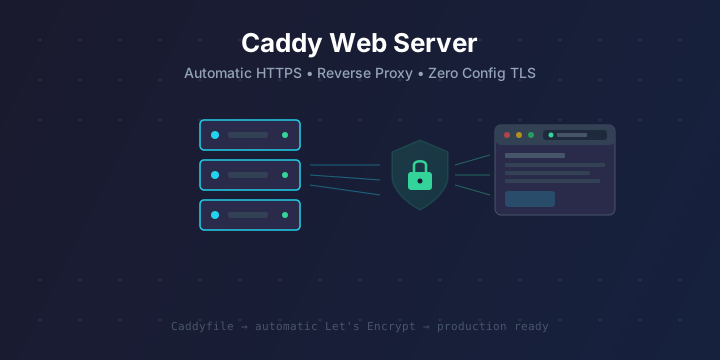
Caddy Web Server: The Easiest Way to Get Automatic HTTPS and Reverse Proxy
If you’ve ever set up Nginx or Apache and spent hours wrestling with SSL certificates, virtual host configs, and cryptic error messages, Caddy will feel like a breath of fresh air. Caddy is a modern, open-source web server written in Go that provides automatic HTTPS out of the box — no Certbot, no cron jobs, no manual certificate renewal. You just point it at your domain and it handles the rest.
In this guide, you’ll learn how to install Caddy, serve static sites, set up reverse proxies, configure multiple domains, and use the Caddyfile for production-ready deployments.
Why Caddy?
Caddy stands out from traditional web servers for several reasons:
- Automatic HTTPS: Caddy obtains and renews TLS certificates from Let’s Encrypt (or ZeroSSL) automatically. No setup required.
- Simple configuration: The Caddyfile syntax is human-readable and dramatically simpler than Nginx or Apache configs.
- HTTP/2 and HTTP/3: Enabled by default with no extra configuration.
- Single binary: Caddy ships as a single static binary — no dependencies, no package managers needed.
- Reverse proxy built-in: Load balancing, health checks, header manipulation, and WebSocket proxying are all native.
- Extensible with plugins: Add functionality like rate limiting, caching, or authentication via Caddy modules.
Caddy is used in production by companies and developers who want a web server that “just works” without the operational overhead of managing TLS manually.
Installing Caddy
On Ubuntu / Debian
Caddy provides official packages via their APT repository:
sudo apt install -y debian-keyring debian-archive-keyring apt-transport-https curl

curl -1sLf 'https://dl.cloudsmith.io/public/caddy/stable/gpg.key' | sudo gpg --dearmor -o /usr/share/keyrings/caddy-stable-archive-keyring.gpg

curl -1sLf 'https://dl.cloudsmith.io/public/caddy/stable/debian.deb.txt' | sudo tee /etc/apt/sources.list.d/caddy-stable.list

sudo apt update
sudo apt install caddy
After installation, Caddy runs as a systemd service and listens on port 80 with a default welcome page.
On Fedora / RHEL / CentOS
dnf install 'dnf-command(copr)'
dnf copr enable @caddy/caddy
dnf install caddy
On macOS (Homebrew)
brew install caddyUsing Docker
docker run -d \
  --name caddy \
  -p 80:80 \
  -p 443:443 \
  -v caddy_data:/data \
  -v caddy_config:/config \
  -v $PWD/Caddyfile:/etc/caddy/Caddyfile \
  -v $PWD/site:/srv \
  caddy:latest
The /data volume is critical — it stores your TLS certificates. Don’t lose it.
Download the Binary Directly
You can also grab the binary from the official download page at https://caddyserver.com/download, where you can even add plugins before downloading.
# Verify installation
caddy version
Serving a Static Site
The simplest use case is serving static files. Create a Caddyfile in your project directory:
localhost {
    root * /var/www/mysite
    file_server
}
Then run:
caddy runThat’s it. Caddy is now serving files from /var/www/mysite on https://localhost with a self-signed certificate for local development.
Serving with a Real Domain
To serve a site on a real domain with automatic HTTPS, just replace localhost with your domain:
example.com {
    root * /var/www/mysite
    file_server
}
When Caddy starts, it will:
- Automatically obtain a TLS certificate from Let’s Encrypt
- Set up HTTP → HTTPS redirect
- Serve your site over HTTPS with HTTP/2
- Renew the certificate before it expires
Requirements: Your DNS A record must point to the server’s IP, and ports 80 and 443 must be open.
Reverse Proxy Configuration
One of Caddy’s most popular use cases is as a reverse proxy in front of application servers. Here’s how to proxy traffic to a backend running on port 3000:
app.example.com {
    reverse_proxy localhost:3000
}
That single line gives you:
- Automatic HTTPS with Let’s Encrypt
- HTTP/2 support
- WebSocket proxying
- Proper header forwarding (
X-Forwarded-For,X-Forwarded-Proto, etc.)
Multiple Backend Services
You can proxy multiple domains to different backends in one Caddyfile:
app.example.com {
    reverse_proxy localhost:3000
}

api.example.com {
    reverse_proxy localhost:8080
}

grafana.example.com {
    reverse_proxy localhost:3001
}
Load Balancing
Caddy can distribute traffic across multiple backends:
app.example.com {
    reverse_proxy localhost:3001 localhost:3002 localhost:3003 {
        lb_policy round_robin
        health_uri /health
        health_interval 30s
    }
}
Available load balancing policies include round_robin, least_conn, random, first, ip_hash, uri_hash, and header.
Path-Based Routing
Route different URL paths to different services:
example.com {
    reverse_proxy /api/* localhost:8080
    reverse_proxy /ws/* localhost:9000
    root * /var/www/frontend
    file_server
}
The Caddyfile in Depth
Setting Headers
example.com {
    header {
        X-Content-Type-Options "nosniff"
        X-Frame-Options "DENY"
        Referrer-Policy "strict-origin-when-cross-origin"
        Strict-Transport-Security "max-age=31536000; includeSubDomains"
        -Server
    }
    reverse_proxy localhost:3000
}
The -Server directive removes the Server header from responses.
Compression
Enable gzip and zstd compression:
example.com {
    encode gzip zstd
    reverse_proxy localhost:3000
}
Logging
Configure structured access logs:
example.com {
    log {
        output file /var/log/caddy/access.log {
            roll_size 100mb
            roll_keep 5
            roll_keep_for 720h
        }
        format json
    }
    reverse_proxy localhost:3000
}
Basic Authentication
Protect a route with a username and password:
# Generate a hashed password
caddy hash-password
# Enter your password when prompted
Then use it in your Caddyfile:
admin.example.com {
    basicauth {
        admin $2a$14$YourHashedPasswordHere
    }
    reverse_proxy localhost:8080
}
Redirects
www.example.com {
    redir https://example.com{uri} permanent
}
Wildcard Certificates
Caddy supports wildcard certificates using the DNS challenge. You’ll need a DNS provider plugin:
*.example.com {
    tls {
        dns cloudflare {env.CF_API_TOKEN}
    }

    @app host app.example.com
    handle @app {
        reverse_proxy localhost:3000
    }

    @api host api.example.com
    handle @api {
        reverse_proxy localhost:8080
    }
}
To use the Cloudflare DNS plugin, download Caddy with the module from https://caddyserver.com/download or build it with xcaddy:
xcaddy build --with github.com/caddy-dns/cloudflareRunning Caddy as a Systemd Service
If you installed Caddy from the official package, it’s already set up as a systemd service. The default Caddyfile location is /etc/caddy/Caddyfile.
# Start Caddy
sudo systemctl start caddy

# Enable on boot
sudo systemctl enable caddy

# Check status
sudo systemctl status caddy

# Reload config without downtime
sudo systemctl reload caddy

# View logs
journalctl -u caddy --no-pager -f
The reload command is key — Caddy performs graceful config reloads with zero downtime, so you never need to restart the service to apply changes.
Caddy vs. Nginx: A Quick Comparison
| Feature | Caddy | Nginx |
|---|---|---|
| Automatic HTTPS | ✅ Built-in | ❌ Needs Certbot |
| Config syntax | Simple Caddyfile | Complex nginx.conf |
| HTTP/2 | ✅ Default | ✅ Manual enable |
| HTTP/3 (QUIC) | ✅ Default | ⚠️ Experimental |
| Reverse proxy | ✅ Built-in | ✅ Built-in |
| Performance | Excellent | Excellent |
| Memory usage | Higher (Go runtime) | Lower (C) |
| Plugin ecosystem | Growing | Massive |
| Configuration reload | Graceful, zero-downtime | Graceful with -s reload |
Nginx still wins for ultra-high-traffic scenarios and raw performance at scale, but Caddy is the better choice when you want simplicity, automatic TLS, and fewer moving parts.
Docker Compose with Caddy
Here’s a production-ready Docker Compose setup using Caddy as a reverse proxy for multiple services:
version: "3.8"

services:
  caddy:
    image: caddy:latest
    restart: unless-stopped
    ports:
      - "80:80"
      - "443:443"
      - "443:443/udp"  # HTTP/3
    volumes:
      - ./Caddyfile:/etc/caddy/Caddyfile
      - caddy_data:/data
      - caddy_config:/config

  app:
    image: node:20-alpine
    working_dir: /app
    volumes:
      - ./app:/app
    command: node server.js
    expose:
      - "3000"

  api:
    image: python:3.12-slim
    working_dir: /api
    volumes:
      - ./api:/api
    command: python -m uvicorn main:app --host 0.0.0.0 --port 8000
    expose:
      - "8000"

volumes:
  caddy_data:
  caddy_config:
And the corresponding Caddyfile:
app.example.com {
    reverse_proxy app:3000
}

api.example.com {
    reverse_proxy api:8000
}
Notice how Docker’s internal DNS lets you use service names (app, api) instead of localhost.
Caddy API: Programmatic Configuration
Caddy also has a powerful REST API for dynamic configuration. Instead of a Caddyfile, you can push JSON config:
# Get current config
curl localhost:2019/config/

# Update config
curl localhost:2019/config/ \
  -H "Content-Type: application/json" \
  -d '{
    "apps": {
      "http": {
        "servers": {
          "myserver": {
            "listen": [":443"],
            "routes": [{
              "match": [{"host": ["example.com"]}],
              "handle": [{
                "handler": "reverse_proxy",
                "upstreams": [{"dial": "localhost:3000"}]
              }]
            }]
          }
        }
      }
    }
  }'
The admin API listens on localhost:2019 by default and is only accessible locally. This is useful for automation, service discovery, and dynamic routing.
Useful Caddy Commands
# Run with a specific Caddyfile
caddy run --config /path/to/Caddyfile

# Validate your Caddyfile for syntax errors
caddy validate --config /path/to/Caddyfile

# Format your Caddyfile (auto-indent and clean up)
caddy fmt --overwrite /path/to/Caddyfile

# Adapt Caddyfile to JSON (see what Caddy actually uses internally)
caddy adapt --config /path/to/Caddyfile

# Reload config without restarting
caddy reload --config /path/to/Caddyfile

# Run in the background
caddy start --config /path/to/Caddyfile
caddy stop
Tips and Best Practices
-
Always persist the
/datavolume in Docker — it stores your TLS certificates. Losing it means re-issuing certs and potentially hitting Let’s Encrypt rate limits. -
Use
caddy validatebefore reloading to catch config errors early. -
Use
caddy fmtto keep your Caddyfile consistently formatted. -
Set up log rotation with the
roll_sizeandroll_keepdirectives to prevent logs from filling your disk. -
Use environment variables in your Caddyfile with
{env.VARIABLE_NAME}syntax for secrets like API tokens. -
Check the Caddy community at https://caddy.community/ for support and examples.
-
Monitor certificate status — while Caddy handles renewal automatically, check
journalctl -u caddyperiodically to ensure renewals succeed.
Further Reading
- Official documentation: https://caddyserver.com/docs/
- Caddyfile reference: https://caddyserver.com/docs/caddyfile
- Download with plugins: https://caddyserver.com/download
- GitHub repository: https://github.com/caddyserver/caddy
- Caddy Docker image: https://hub.docker.com/_/caddy
Caddy is one of those tools that makes you wonder why web server configuration was ever so complicated. If you’re tired of managing Certbot cron jobs, debugging Nginx config blocks, and manually renewing certificates, give Caddy a try — you might never go back.