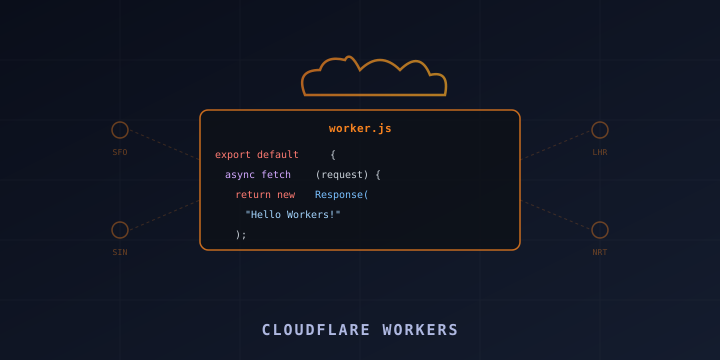
Cloudflare Workers: Build and Deploy Serverless Apps at the Edge
Cloudflare Workers let you run JavaScript, TypeScript, Rust, or Python on Cloudflare’s global network of 300+ data centers. Your code runs within milliseconds of your users — no servers to manage, no cold starts, and a generous free tier of 100,000 requests per day.
Whether you need an API, a URL shortener, an authentication proxy, or a full web application, Workers can handle it. This guide covers everything from your first Worker to production deployment with KV storage, environment variables, and custom domains.
What Are Cloudflare Workers?
Workers are serverless functions that run on Cloudflare’s edge network. Unlike traditional serverless (AWS Lambda, Google Cloud Functions) which runs in a few regions, Workers execute in every Cloudflare data center worldwide — meaning sub-50ms response times for users everywhere.
Key features:
- Zero cold starts: Workers use V8 isolates (not containers), so there’s no startup delay
- Global by default: Code runs in 300+ cities automatically
- Free tier: 100,000 requests/day, 10ms CPU time per request
- Paid plan: $5/month for 10 million requests, 50ms CPU time
- Multiple languages: JavaScript, TypeScript, Rust, Python, WASM
- Integrated storage: KV, R2 (object storage), D1 (SQLite), Durable Objects
Getting Started
Install Wrangler CLI
Wrangler is Cloudflare’s official CLI for Workers development:
npm install -g wrangler

# Or using npx (no global install needed)
npx wrangler
Authenticate
wrangler loginThis opens a browser window to authenticate with your Cloudflare account.
Create a New Project
# Create a new Worker project
wrangler init my-worker

# Or with a template
wrangler init my-api --template https://github.com/cloudflare/workers-sdk/tree/main/templates/worker-router
Choose your options:
- TypeScript or JavaScript
- Whether to use a
wrangler.tomlconfig file (yes) - Whether to create a Git repo
Project Structure
my-worker/
├── src/
│   └── index.ts        # Your Worker code
├── wrangler.toml       # Configuration
├── package.json
└── tsconfig.json
Writing Your First Worker
Basic Worker (ES Module Syntax)
// src/index.ts
export default {
  async fetch(request: Request, env: Env, ctx: ExecutionContext): Promise<Response> {
    return new Response("Hello from Cloudflare Workers!", {
      headers: { "content-type": "text/plain" },
    });
  },
};
Handle Different Routes
export default {
  async fetch(request: Request, env: Env): Promise<Response> {
    const url = new URL(request.url);

    switch (url.pathname) {
      case "/":
        return new Response("Home page");

      case "/api/hello":
        return Response.json({ message: "Hello, World!" });

      case "/api/time":
        return Response.json({ time: new Date().toISOString() });

      default:
        return new Response("Not Found", { status: 404 });
    }
  },
};
Handle HTTP Methods
export default {
  async fetch(request: Request, env: Env): Promise<Response> {
    const url = new URL(request.url);

    if (url.pathname === "/api/data") {
      switch (request.method) {
        case "GET":
          return Response.json({ items: ["a", "b", "c"] });

        case "POST":
          const body = await request.json();
          return Response.json({ received: body }, { status: 201 });

        case "DELETE":
          return new Response(null, { status: 204 });

        default:
          return new Response("Method Not Allowed", { status: 405 });
      }
    }

    return new Response("Not Found", { status: 404 });
  },
};
Local Development
Run Locally with Wrangler Dev
wrangler devThis starts a local development server (default: http://localhost:8787) that simulates the Workers runtime. Changes are hot-reloaded automatically.
# Specify a port
wrangler dev --port 3000

# Use remote mode (runs on Cloudflare's edge for testing bindings)
wrangler dev --remote
Test with curl
curl http://localhost:8787/
curl http://localhost:8787/api/hello
curl -X POST http://localhost:8787/api/data -d '{"name":"test"}' -H "Content-Type: application/json"
Configuration (wrangler.toml)
name = "my-worker"
main = "src/index.ts"
compatibility_date = "2024-01-01"

# Custom domain routing
routes = [
  { pattern = "api.yourdomain.com/*", zone_name = "yourdomain.com" }
]

# Or use a workers.dev subdomain
# workers_dev = true

# Environment variables
[vars]
API_KEY = "public-value"
ENVIRONMENT = "production"

# KV Namespace binding
[[kv_namespaces]]
binding = "MY_KV"
id = "your-kv-namespace-id"

# R2 bucket binding
[[r2_buckets]]
binding = "MY_BUCKET"
bucket_name = "my-bucket"

# D1 database binding
[[d1_databases]]
binding = "DB"
database_name = "my-database"
database_id = "your-database-id"
Deploying Workers
Deploy to Production
wrangler deployYour Worker is now live at my-worker.<your-subdomain>.workers.dev.
Deploy to a Custom Domain
- Add a route in
wrangler.toml:
routes = [
  { pattern = "api.yourdomain.com/*", zone_name = "yourdomain.com" }
]- Deploy:
wrangler deployCloudflare automatically sets up the DNS and SSL.
Deploy with a Custom Workers.dev Subdomain
name = "my-api"
workers_dev = true
This deploys to my-api.your-account.workers.dev.
Workers KV (Key-Value Storage)
KV is a global, low-latency key-value store. Perfect for configuration, feature flags, URL shorteners, and caching.
Create a KV Namespace
# Create for production
wrangler kv namespace create "MY_KV"

# Create for preview/dev
wrangler kv namespace create "MY_KV" --preview
Add the returned IDs to wrangler.toml:
[[kv_namespaces]]
binding = "MY_KV"
id = "abc123"
preview_id = "def456"
Use KV in Your Worker
export interface Env {
  MY_KV: KVNamespace;
}

export default {
  async fetch(request: Request, env: Env): Promise<Response> {
    const url = new URL(request.url);

    if (request.method === "GET") {
      // Read from KV
      const value = await env.MY_KV.get(url.pathname);
      if (value) {
        return new Response(value);
      }
      return new Response("Not found", { status: 404 });
    }

    if (request.method === "PUT") {
      // Write to KV
      const body = await request.text();
      await env.MY_KV.put(url.pathname, body, {
        expirationTtl: 86400, // Expire after 24 hours
      });
      return new Response("Stored", { status: 201 });
    }

    return new Response("Method not allowed", { status: 405 });
  },
};
Manage KV from the CLI
# Write a value
wrangler kv key put --binding MY_KV "mykey" "myvalue"

# Read a value
wrangler kv key get --binding MY_KV "mykey"

# List keys
wrangler kv key list --binding MY_KV

# Delete a key
wrangler kv key delete --binding MY_KV "mykey"

# Bulk upload from JSON
wrangler kv bulk put --binding MY_KV data.json
Environment Variables and Secrets
Public Variables (wrangler.toml)
[vars]
PUBLIC_API_URL = "https://api.example.com"
ENVIRONMENT = "production"
Secrets (Encrypted)
# Set a secret (not stored in wrangler.toml)
wrangler secret put API_SECRET
# Enter value when prompted

# List secrets
wrangler secret list

# Delete a secret
wrangler secret delete API_SECRET
Access in your Worker:
export interface Env {
  PUBLIC_API_URL: string;
  API_SECRET: string;
}

export default {
  async fetch(request: Request, env: Env): Promise<Response> {
    // env.PUBLIC_API_URL = "https://api.example.com"
    // env.API_SECRET = your encrypted secret
    const response = await fetch(env.PUBLIC_API_URL, {
      headers: { Authorization: `Bearer ${env.API_SECRET}` },
    });
    return response;
  },
};
Practical Examples
URL Shortener
export default {
  async fetch(request: Request, env: Env): Promise<Response> {
    const url = new URL(request.url);
    const slug = url.pathname.slice(1);

    if (!slug) {
      return new Response("URL Shortener - provide a slug", { status: 200 });
    }

    const destination = await env.URLS.get(slug);
    if (destination) {
      return Response.redirect(destination, 301);
    }

    return new Response("Not found", { status: 404 });
  },
};
CORS Proxy
export default {
  async fetch(request: Request): Promise<Response> {
    const url = new URL(request.url);
    const targetUrl = url.searchParams.get("url");

    if (!targetUrl) {
      return new Response("Provide ?url= parameter", { status: 400 });
    }

    const response = await fetch(targetUrl);
    const newResponse = new Response(response.body, response);
    newResponse.headers.set("Access-Control-Allow-Origin", "*");
    return newResponse;
  },
};
JSON API with D1 (SQLite)
export default {
  async fetch(request: Request, env: Env): Promise<Response> {
    const url = new URL(request.url);

    if (url.pathname === "/api/users" && request.method === "GET") {
      const { results } = await env.DB.prepare("SELECT * FROM users").all();
      return Response.json(results);
    }

    if (url.pathname === "/api/users" && request.method === "POST") {
      const { name, email } = await request.json();
      await env.DB.prepare("INSERT INTO users (name, email) VALUES (?, ?)")
        .bind(name, email)
        .run();
      return Response.json({ success: true }, { status: 201 });
    }

    return new Response("Not Found", { status: 404 });
  },
};
Wrangler CLI Reference
| Command | Purpose |
|---|---|
wrangler init | Create a new Worker project |
wrangler dev | Start local development server |
wrangler deploy | Deploy to Cloudflare |
wrangler tail | Stream live logs from production |
wrangler secret put NAME | Set an encrypted secret |
wrangler kv namespace create | Create a KV namespace |
wrangler d1 create | Create a D1 database |
wrangler r2 bucket create | Create an R2 bucket |
wrangler delete | Delete a deployed Worker |
wrangler whoami | Show current account info |
Summary
Cloudflare Workers provide a fast, affordable way to run serverless code globally. With zero cold starts, a generous free tier, and integrated storage options (KV, R2, D1), they’re ideal for APIs, edge processing, URL shorteners, and full-stack applications.
Key resources:
- Documentation: https://developers.cloudflare.com/workers/
- Examples: https://developers.cloudflare.com/workers/examples/
- Playground: https://workers.cloudflare.com/playground
- Wrangler CLI: https://developers.cloudflare.com/workers/wrangler/
- Pricing: https://developers.cloudflare.com/workers/platform/pricing/
Start with wrangler init, write a fetch handler, and wrangler deploy. Your code is running globally in seconds.