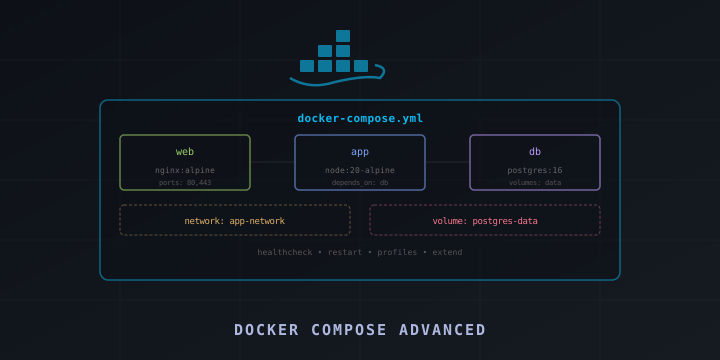
Docker Compose Advanced Patterns: Multi-Service Stacks, Health Checks, and Profiles
If you know Docker Compose basics — defining services, volumes, and networks — it’s time to learn the advanced patterns that make multi-service applications reliable in production. This guide covers health checks, dependency ordering, profiles, override files, secrets management, and real-world stack configurations.
Health Checks
Health checks tell Docker how to verify that a container is actually working, not just running:
services:
  postgres:
    image: postgres:16
    environment:
      POSTGRES_DB: myapp
      POSTGRES_USER: user
      POSTGRES_PASSWORD: secret
    healthcheck:
      test: ["CMD-SHELL", "pg_isready -U user -d myapp"]
      interval: 10s
      timeout: 5s
      retries: 5
      start_period: 30s

  redis:
    image: redis:7-alpine
    healthcheck:
      test: ["CMD", "redis-cli", "ping"]
      interval: 10s
      timeout: 3s
      retries: 3

  app:
    build: .
    depends_on:
      postgres:
        condition: service_healthy
      redis:
        condition: service_healthy
Key parameters:
- test: Command to run (exit code 0 = healthy)
- interval: How often to check
- timeout: How long to wait for a response
- retries: Number of failures before marking unhealthy
- start_period: Grace period for startup
Common Health Check Commands
# PostgreSQL
test: ["CMD-SHELL", "pg_isready -U user"]

# MySQL
test: ["CMD", "mysqladmin", "ping", "-h", "localhost"]

# Redis
test: ["CMD", "redis-cli", "ping"]

# MongoDB
test: ["CMD", "mongosh", "--eval", "db.adminCommand('ping')"]

# HTTP endpoint
test: ["CMD", "curl", "-f", "http://localhost:3000/health"]

# TCP port check
test: ["CMD-SHELL", "nc -z localhost 8080"]
Dependency Ordering with depends_on
Control startup and shutdown order:
services:
  db:
    image: postgres:16
    healthcheck:
      test: ["CMD-SHELL", "pg_isready"]
      interval: 5s

  cache:
    image: redis:7
    healthcheck:
      test: ["CMD", "redis-cli", "ping"]
      interval: 5s

  migrate:
    build: .
    command: npm run migrate
    depends_on:
      db:
        condition: service_healthy
    restart: "no"  # Run once and exit

  app:
    build: .
    depends_on:
      db:
        condition: service_healthy
      cache:
        condition: service_healthy
      migrate:
        condition: service_completed_successfully
Conditions:
- service_started: Start after the service launches (default)
- service_healthy: Wait until health check passes
- service_completed_successfully: Wait until the service exits with code 0
Profiles
Profiles let you define optional services that only start when activated:
services:
  app:
    build: .
    ports:
      - "3000:3000"

  db:
    image: postgres:16
    volumes:
      - pgdata:/var/lib/postgresql/data

  # Only start with --profile debug
  adminer:
    image: adminer
    ports:
      - "8080:8080"
    profiles:
      - debug

  # Only start with --profile monitoring
  prometheus:
    image: prom/prometheus
    ports:
      - "9090:9090"
    profiles:
      - monitoring

  grafana:
    image: grafana/grafana
    ports:
      - "3001:3000"
    profiles:
      - monitoring

volumes:
  pgdata:
Usage:
# Start only app and db
docker compose up -d

# Start with debug tools
docker compose --profile debug up -d

# Start with monitoring
docker compose --profile monitoring up -d

# Start with multiple profiles
docker compose --profile debug --profile monitoring up -d
Override Files
Use override files for environment-specific configuration:
docker-compose.yml (base)
services:
  app:
    build: .
    environment:
      NODE_ENV: production
    restart: always

  db:
    image: postgres:16
    volumes:
      - pgdata:/var/lib/postgresql/data

volumes:
  pgdata:
docker-compose.override.yml (development — auto-loaded)
services:
  app:
    build:
      target: development
    environment:
      NODE_ENV: development
      DEBUG: "true"
    volumes:
      - .:/app
      - /app/node_modules
    ports:
      - "3000:3000"
      - "9229:9229"  # Debug port
    command: npm run dev
    restart: "no"

  db:
    ports:
      - "5432:5432"
    environment:
      POSTGRES_PASSWORD: devpassword
docker-compose.prod.yml (production)
services:
  app:
    image: registry.example.com/myapp:latest
    deploy:
      replicas: 3
      resources:
        limits:
          cpus: "1.0"
          memory: 512M
    logging:
      driver: json-file
      options:
        max-size: "10m"
        max-file: "3"

  db:
    environment:
      POSTGRES_PASSWORD_FILE: /run/secrets/db_password
    secrets:
      - db_password

secrets:
  db_password:
    file: ./secrets/db_password.txt
Usage:
# Development (uses docker-compose.yml + docker-compose.override.yml)
docker compose up

# Production
docker compose -f docker-compose.yml -f docker-compose.prod.yml up -d

# Staging
docker compose -f docker-compose.yml -f docker-compose.staging.yml up -d
Secrets Management
Never put passwords in environment variables in production. Use Docker secrets:
services:
  db:
    image: postgres:16
    environment:
      POSTGRES_PASSWORD_FILE: /run/secrets/db_password
    secrets:
      - db_password

  app:
    build: .
    secrets:
      - db_password
      - api_key

secrets:
  db_password:
    file: ./secrets/db_password.txt
  api_key:
    environment: "API_KEY"  # Read from host environment variable
In your app, read secrets from /run/secrets/<name>:
const fs = require('fs');
const dbPassword = fs.readFileSync('/run/secrets/db_password', 'utf8').trim();
Environment Variables
.env File
Docker Compose automatically reads .env in the project directory:
# .env
POSTGRES_VERSION=16
APP_PORT=3000
DB_PASSWORD=supersecretservices:
db:
image: postgres:${POSTGRES_VERSION}
environment:
POSTGRES_PASSWORD: ${DB_PASSWORD}
app:
ports:
- "${APP_PORT}:3000"Multiple .env Files
services:
  app:
    env_file:
      - .env
      - .env.local    # Overrides .env values
Variable Substitution with Defaults
services:
  app:
    image: myapp:${TAG:-latest}
    ports:
      - "${PORT:-3000}:3000"
    environment:
      LOG_LEVEL: ${LOG_LEVEL:-info}
Networking Patterns
Internal-Only Services
services:
  app:
    ports:
      - "3000:3000"
    networks:
      - frontend
      - backend

  db:
    networks:
      - backend  # Not accessible from outside

  redis:
    networks:
      - backend

networks:
  frontend:
  backend:
    internal: true  # No external access
Multiple Networks for Isolation
services:
  frontend:
    networks:
      - public
      - app-net

  api:
    networks:
      - app-net
      - db-net

  database:
    networks:
      - db-net

networks:
  public:
  app-net:
  db-net:
    internal: true
Restart Policies
services:
  app:
    restart: always           # Always restart

  worker:
    restart: unless-stopped   # Restart unless manually stopped

  migration:
    restart: "no"             # Never restart (run once)

  flaky-service:
    restart: on-failure       # Only restart on non-zero exit
    deploy:
      restart_policy:
        condition: on-failure
        max_attempts: 3
        delay: 5s
Logging Configuration
services:
  app:
    logging:
      driver: json-file
      options:
        max-size: "10m"    # Max log file size
        max-file: "5"      # Keep 5 rotated files
        compress: "true"   # Compress rotated files

  # Send logs to syslog
  worker:
    logging:
      driver: syslog
      options:
        syslog-address: "tcp://logserver:514"
        tag: "myapp-worker"

  # Disable logging
  noisy-service:
    logging:
      driver: none
Resource Limits
services:
  app:
    deploy:
      resources:
        limits:
          cpus: "1.0"
          memory: 512M
        reservations:
          cpus: "0.25"
          memory: 128M
Multi-Stage Build with Compose
services:
  app:
    build:
      context: .
      dockerfile: Dockerfile
      target: production    # Use a specific build stage
      args:
        NODE_VERSION: 20
    image: myapp:latest
Dockerfile:
FROM node:20-alpine AS base
WORKDIR /app
COPY package*.json ./

FROM base AS development
RUN npm install
COPY . .
CMD ["npm", "run", "dev"]

FROM base AS production
RUN npm ci --production
COPY . .
CMD ["node", "server.js"]
Complete Production Stack Example
version: "3.8"

services:
  web:
    image: nginx:alpine
    ports:
      - "80:80"
      - "443:443"
    volumes:
      - ./nginx.conf:/etc/nginx/nginx.conf:ro
      - ssl-certs:/etc/letsencrypt:ro
    depends_on:
      app:
        condition: service_healthy
    restart: always
    networks:
      - frontend

  app:
    build:
      context: .
      target: production
    environment:
      DATABASE_URL: postgresql://user:${DB_PASSWORD}@db:5432/myapp
      REDIS_URL: redis://cache:6379
    healthcheck:
      test: ["CMD", "curl", "-f", "http://localhost:3000/health"]
      interval: 30s
      timeout: 10s
      retries: 3
    depends_on:
      db:
        condition: service_healthy
      cache:
        condition: service_healthy
    restart: always
    deploy:
      resources:
        limits:
          memory: 512M
    networks:
      - frontend
      - backend
    logging:
      driver: json-file
      options:
        max-size: "10m"
        max-file: "3"

  db:
    image: postgres:16-alpine
    environment:
      POSTGRES_DB: myapp
      POSTGRES_USER: user
      POSTGRES_PASSWORD: ${DB_PASSWORD}
    volumes:
      - pgdata:/var/lib/postgresql/data
    healthcheck:
      test: ["CMD-SHELL", "pg_isready -U user -d myapp"]
      interval: 10s
      retries: 5
    restart: always
    networks:
      - backend

  cache:
    image: redis:7-alpine
    command: redis-server --maxmemory 256mb --maxmemory-policy allkeys-lru
    healthcheck:
      test: ["CMD", "redis-cli", "ping"]
      interval: 10s
    restart: always
    networks:
      - backend

volumes:
  pgdata:
  ssl-certs:

networks:
  frontend:
  backend:
    internal: true
Useful Commands
# Start all services
docker compose up -d

# View logs
docker compose logs -f app

# Scale a service
docker compose up -d --scale app=3

# Rebuild and restart
docker compose up -d --build

# Stop and remove everything
docker compose down

# Stop and remove everything including volumes
docker compose down -v

# Execute a command in a running container
docker compose exec app sh

# Run a one-off command
docker compose run --rm app npm test

# View resource usage
docker compose top
docker stats
Summary
Advanced Docker Compose patterns — health checks, dependency ordering, profiles, override files, and proper networking — are what separate development configurations from production-ready stacks.
Key resources:
- Compose specification: https://docs.docker.com/compose/compose-file/
- Compose CLI reference: https://docs.docker.com/compose/reference/
- Awesome Docker Compose: https://github.com/docker/awesome-compose
Start with health checks and depends_on conditions — they prevent the most common multi-service issues.