Fail2Ban: Protect Your Linux Server from Brute Force Attacks
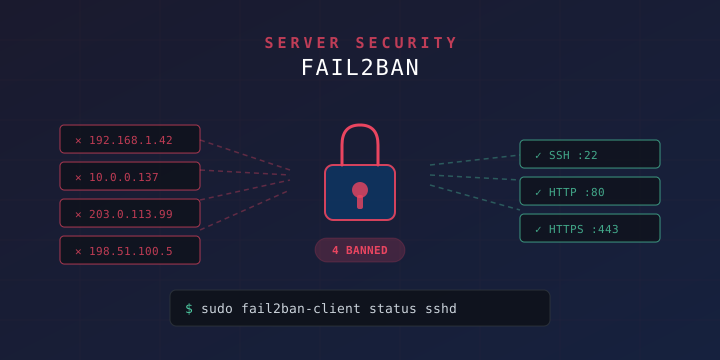
If you run a Linux server exposed to the internet, your SSH logs are full of brute force login attempts. Bots constantly hammer port 22, trying thousands of username/password combinations. Fail2Ban is a lightweight intrusion prevention tool that monitors your log files and automatically bans IPs that show malicious behavior — like too many failed login attempts.
In this guide, you’ll learn how to install, configure, and fine-tune Fail2Ban to protect SSH, Nginx, and other services on Ubuntu/Debian and CentOS/RHEL servers.
What Is Fail2Ban and How Does It Work?
Fail2Ban is an open-source log-parsing framework written in Python. It works by:
- Monitoring log files — It watches logs like
/var/log/auth.log(SSH),/var/log/nginx/error.log(Nginx), and others for patterns that indicate failed authentication or abuse. - Matching patterns with filters — It uses regex-based filter rules to identify failed login attempts, 404 floods, or other suspicious activity.
- Banning offending IPs — When an IP exceeds a configured number of failures within a time window, Fail2Ban creates a firewall rule (via iptables, nftables, or UFW) to block that IP for a specified duration.
- Unbanning automatically — After the ban time expires, the IP is automatically unbanned.
This approach is effective against automated brute force attacks, credential stuffing, and basic DDoS patterns.
Installing Fail2Ban
Ubuntu / Debian
sudo apt update
sudo apt install fail2ban -y
CentOS / RHEL / Fedora
# CentOS/RHEL 8+ with EPEL
sudo dnf install epel-release -y
sudo dnf install fail2ban -y
Start and Enable the Service
sudo systemctl start fail2ban
sudo systemctl enable fail2ban
Verify it’s running:
sudo systemctl status fail2banYou should see active (running) in the output.
Understanding the Configuration Structure
Fail2Ban’s configuration lives in /etc/fail2ban/. The key files are:
| File | Purpose |
|---|---|
jail.conf | Default jail definitions (do NOT edit directly) |
jail.local | Your custom overrides (create this file) |
jail.d/ | Directory for additional jail config files |
filter.d/ | Regex filter definitions for each service |
action.d/ | Action definitions (how to ban/unban IPs) |
Important: Never edit jail.conf directly — it gets overwritten on updates. Always create a jail.local file or add files to jail.d/ for your customizations.
Configuring Fail2Ban for SSH
Create your local configuration file:
sudo nano /etc/fail2ban/jail.localAdd the following configuration:
[DEFAULT]
# Ban IP for 1 hour (3600 seconds)
bantime = 3600

# Time window to count failures (10 minutes)
findtime = 600

# Number of failures before banning
maxretry = 5

# Email notifications (optional)
# destemail = admin@yourdomain.com
# sendername = Fail2Ban
# action = %(action_mwl)s

# Ignore your own IPs (whitelist)
ignoreip = 127.0.0.1/8 ::1

[sshd]
enabled = true
port = ssh
filter = sshd
logpath = /var/log/auth.log
maxretry = 3
bantime = 3600
findtime = 600
What Each Setting Does
bantime— How long an IP stays banned (in seconds). Use-1for permanent bans.findtime— The time window in whichmaxretryfailures must occur to trigger a ban.maxretry— Number of failed attempts allowed before banning.ignoreip— IP addresses or CIDR ranges that should never be banned (always include your own IP here).logpath— The log file Fail2Ban monitors for this jail.filter— The name of the filter in/etc/fail2ban/filter.d/to use.
Apply the Configuration
sudo systemctl restart fail2banChecking Fail2Ban Status
Overall Status
sudo fail2ban-client statusOutput:
Status
|- Number of jail:      1
`- Jail list:   sshd
SSH Jail Status
sudo fail2ban-client status sshdOutput:
Status for the jail: sshd
|- Filter
|  |- Currently failed: 2
|  |- Total failed:     147
|  `- Journal matches:  _SYSTEMD_UNIT=sshd.service + _COMM=sshd
`- Actions
   |- Currently banned: 3
   |- Total banned:     28
   `- Banned IP list:   203.0.113.42 198.51.100.17 192.0.2.88
This tells you how many IPs are currently banned and the total number of bans since the service started.
Useful Fail2Ban Commands
Here’s a reference of the most common commands:
# Check overall status
sudo fail2ban-client status

# Check a specific jail
sudo fail2ban-client status sshd

# Manually ban an IP
sudo fail2ban-client set sshd banip 203.0.113.42

# Manually unban an IP
sudo fail2ban-client set sshd unbanip 203.0.113.42

# Check which jails are active
sudo fail2ban-client status | grep "Jail list"

# View Fail2Ban's own log
sudo tail -f /var/log/fail2ban.log

# Test a filter regex against a log file
sudo fail2ban-regex /var/log/auth.log /etc/fail2ban/filter.d/sshd.conf

# Reload configuration without restarting
sudo fail2ban-client reload
Protecting Nginx with Fail2Ban
Fail2Ban isn’t just for SSH. You can protect web servers too. Here are some useful Nginx jails.
Block Repeated 401/403 Authentication Failures
Add to your /etc/fail2ban/jail.local:
[nginx-http-auth]
enabled = true
port = http,https
filter = nginx-http-auth
logpath = /var/log/nginx/error.log
maxretry = 5
bantime = 3600
findtime = 600
Block Bots Scanning for Vulnerabilities
Create a custom filter to catch bots probing for common exploit paths like /wp-admin, /phpmyadmin, /.env, etc.
Create the filter file:
sudo nano /etc/fail2ban/filter.d/nginx-badbots.conf[Definition]
failregex = ^<HOST> -.*"(GET|POST).*(\.php|\.asp|\.env|wp-login|wp-admin|phpmyadmin|\.git|cgi-bin).*" (404|403|400)
ignoreregex =Add the jail:
[nginx-badbots]
enabled = true
port = http,https
filter = nginx-badbots
logpath = /var/log/nginx/access.log
maxretry = 3
bantime = 86400
findtime = 600
This bans any IP that triggers 3 or more 404/403 hits on common exploit paths within 10 minutes, banning them for 24 hours.
Block Aggressive Request Flooding
To catch basic HTTP flood / DDoS patterns:
sudo nano /etc/fail2ban/filter.d/nginx-limit-req.conf[Definition]
failregex = limiting requests, excess:.* by zone.*client: <HOST>
ignoreregex =Add the jail:
[nginx-limit-req]
enabled = true
port = http,https
filter = nginx-limit-req
logpath = /var/log/nginx/error.log
maxretry = 10
bantime = 7200
findtime = 600
This works with Nginx’s built-in limit_req_zone rate limiting module. When Nginx logs rate limit violations, Fail2Ban picks them up and bans repeat offenders.
Advanced Configuration
Incremental Ban Times (Recidive Jail)
For repeat offenders who keep coming back after their ban expires, use the recidive jail. This monitors Fail2Ban’s own log and applies longer bans to IPs that get banned multiple times:
[recidive]
enabled = true
logpath = /var/log/fail2ban.log
banaction = %(banaction_allports)s
bantime = 604800
findtime = 86400
maxretry = 3
This means: if an IP gets banned 3 times across any jail within 24 hours, it gets blocked on all ports for 7 days.
Permanent Bans
To permanently ban an IP after it’s been caught:
[sshd]
enabled = true
port = ssh
filter = sshd
logpath = /var/log/auth.log
maxretry = 3
bantime = -1
Setting bantime = -1 means the ban never expires. Be careful with this — make sure your own IP is in ignoreip.
Using UFW Instead of iptables
If you’re using UFW (as covered in our UFW Firewall Guide), you can tell Fail2Ban to use UFW for banning:
[DEFAULT]
banaction = ufw
banaction_allports = ufw
This makes Fail2Ban insert UFW rules instead of raw iptables rules, keeping your firewall management consistent.
Using nftables
On modern systems using nftables:
[DEFAULT]
banaction = nftables-multiport
banaction_allports = nftables-allports
Email Notifications
To receive email alerts when IPs are banned, configure the [DEFAULT] section:
[DEFAULT]
destemail = admin@yourdomain.com
sendername = Fail2Ban
mta = sendmail

# Action with email + whois + log lines
action = %(action_mwl)s
The action types are:
action_— Just ban the IP (default)action_mw— Ban + send email with whois infoaction_mwl— Ban + send email with whois info + relevant log lines
You’ll need sendmail or msmtp installed and configured for email to work.
Testing Your Configuration
Test a Filter Against a Log
Before enabling a new jail, test its regex against your actual log files:
sudo fail2ban-regex /var/log/auth.log /etc/fail2ban/filter.d/sshd.confOutput shows how many matches were found:
Running tests

Use   failregex filter file : sshd, basedir: /etc/fail2ban
Use         log file : /var/log/auth.log
Use         encoding : UTF-8

Results

Failregex: 147 total
|-  #) [# of hits] regular expression
|   1) [147] ^.*Failed password for .* from <HOST>.*$
`-

Ignoreregex: 0 total

Date template hits:
|- [# of hits] date format
|  [2634] {^LN-BEG}(?:DAY )?MON Day %k:Minute:Second(?:\.Microseconds)?(?: ExYear)?
`-

Lines: 2634 lines, 0 ignored, 147 matched, 2487 missed
If the matched count looks reasonable, your filter is working correctly.
Simulate a Ban (Dry Run)
You can test what would happen without actually banning anyone by checking the log manually:
# Watch the fail2ban log in real-time
sudo tail -f /var/log/fail2ban.log

# In another terminal, try to trigger a ban (e.g., failed SSH logins)
# WARNING: Only do this on your own test server
ssh invalid_user@localhost
Monitoring and Logging
View Recent Bans
# Show recent ban/unban activity
sudo grep "Ban\|Unban" /var/log/fail2ban.log | tail -20
Count Bans Per IP
# Find the most frequently banned IPs
sudo awk '/Ban/ {print $NF}' /var/log/fail2ban.log | sort | uniq -c | sort -rn | head -20
Log Rotation
Fail2Ban’s log at /var/log/fail2ban.log is automatically rotated by logrotate on most systems. You can check the configuration at /etc/logrotate.d/fail2ban.
Complete Example Configuration
Here’s a production-ready /etc/fail2ban/jail.local that protects SSH, Nginx, and handles repeat offenders:
[DEFAULT]
bantime = 3600
findtime = 600
maxretry = 5
ignoreip = 127.0.0.1/8 ::1 YOUR_HOME_IP
banaction = iptables-multiport
banaction_allports = iptables-allports

[sshd]
enabled = true
port = ssh
filter = sshd
logpath = /var/log/auth.log
maxretry = 3
bantime = 7200

[nginx-http-auth]
enabled = true
port = http,https
filter = nginx-http-auth
logpath = /var/log/nginx/error.log
maxretry = 5
bantime = 3600

[nginx-badbots]
enabled = true
port = http,https
filter = nginx-badbots
logpath = /var/log/nginx/access.log
maxretry = 3
bantime = 86400

[nginx-limit-req]
enabled = true
port = http,https
filter = nginx-limit-req
logpath = /var/log/nginx/error.log
maxretry = 10
bantime = 7200

[recidive]
enabled = true
logpath = /var/log/fail2ban.log
banaction = %(banaction_allports)s
bantime = 604800
findtime = 86400
maxretry = 3
Replace YOUR_HOME_IP with your actual static IP address to avoid locking yourself out.
Troubleshooting
Fail2Ban Won’t Start
# Check for configuration errors
sudo fail2ban-client -t

# Check the system journal for errors
sudo journalctl -u fail2ban -n 50
IPs Not Getting Banned
- Check the log path — Make sure
logpathin your jail points to the correct log file. - Test the filter — Run
fail2ban-regexto verify the filter matches your log format. - Check if the jail is enabled — Run
sudo fail2ban-client statusto see active jails. - Check timestamps — Fail2Ban ignores log entries with timestamps older than
findtime.
Locked Yourself Out
If you accidentally banned your own IP:
- Access the server via console (cloud provider’s web console, IPMI, or physical access).
- Unban your IP:
sudo fail2ban-client set sshd unbanip YOUR_IP_ADDRESS- Add your IP to
ignoreipinjail.localto prevent this in the future.
Fail2Ban vs. Other Solutions
| Feature | Fail2Ban | CrowdSec | SSHGuard |
|---|---|---|---|
| Language | Python | Go | C |
| Log Parsing | Regex | YAML scenarios | Built-in patterns |
| Community Blocklists | No | Yes | No |
| Services Supported | Many | Many | SSH-focused |
| Resource Usage | Low | Medium | Very Low |
| Configuration | INI files | YAML | Simple config |
Fail2Ban remains the most widely deployed solution due to its flexibility, extensive filter library, and straightforward configuration. For most self-hosted servers, it’s the best choice.
Summary
Fail2Ban is an essential tool for any internet-facing Linux server. Here’s what you should take away:
- Always protect SSH — Enable the
sshdjail with a lowmaxretry(3 attempts is reasonable). - Use
jail.local— Never editjail.confdirectly. - Whitelist your IP — Add your static IP to
ignoreipto avoid locking yourself out. - Combine with other security measures — Fail2Ban works best alongside SSH key authentication, UFW/firewall rules, and disabling root login.
- Monitor the logs — Check
fail2ban-client statusperiodically to see what’s being blocked. - Use the recidive jail — Escalate bans for persistent attackers.
Combined with SSH key authentication and a properly configured UFW firewall, Fail2Ban adds a strong automated defense layer that keeps your server secure with minimal ongoing maintenance.